We have seen how to create reports in our previous article, but that report used to break when we have test case names with a special character or long names.
So I came across a better report and let’s see how to implement it.
Note: Drawback of this report is that you cannot send it as an attachment as it is dependent on many files. It won’t work as standalone,
So you can use both this report and the old report together and use this one for debugging and the other one as a summary to send along with emails.
cucumber :npm install cucumber (If protractor was installed locally else use npm install -g cucumber). Both protractor and cucumber should be in same scope.
//set cucumber options
cucumberOpts: {
     require: ['./testsuites/*.js','./commons/chaiAssertions.js','./commons/hooks.js'],
     strict: true,
     format: [],    //don't put 'Pretty' as it is depreciated
     'dry-run': false,
     compiler: [],
     format: 'json:results.json',    //make sure you are not using multi-capabilities
   },
SELENIUM_PROMISE_MANAGER: false,
 };
Here, i point to the feature file using the property specs: [‘feature/*.feature’],
and glues it to the step definition using cucumberopts> require:
There is no one to one mapping between feature and step definition, the framework automatically finds the step definition that contains the definition for the step from provided step definitions(.js files) in the require field.
Now write feature file:
test.feature
Feature: Google search
 Scenario Outline: Log in with given API
     Given I navigates to google
     And searches for '
'
     Then I should see ''
 Examples:
 |input|this|
 |test|pass|
 |test2|fail|
Now write step definition:
step.js:
var { Given } = require('cucumber');
 Given('I navigates to google', async function () {
   await browser.get('https://www.google.com/');
 });
 Given('searches for {string}', async function (searchValue) {
   await element(by.css('input[role="combobox"]')).sendKeys(searchValue)
 });
 Given('I should see {string}', async function (expectedValue) {
   expect(expectedValue).to.equal('pass')
 });
so here we are using just Given as during runtime Given ,when then etc will be ignored and only the string after that will be considered
So, even if our feature file has And searches for ‘input’ , we can write step definition as Given(‘searches for {string}’.
Note that we are not using regular expressions to get parameters but the data type.
you might have seen in other tutorials , Given( /^searches for (\w+)$/ ). Its simpler to use the format i have used Given(‘searches for {string}’. Both the approaches works works fine.
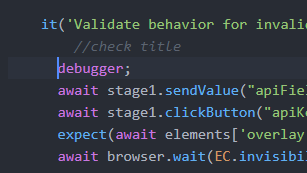
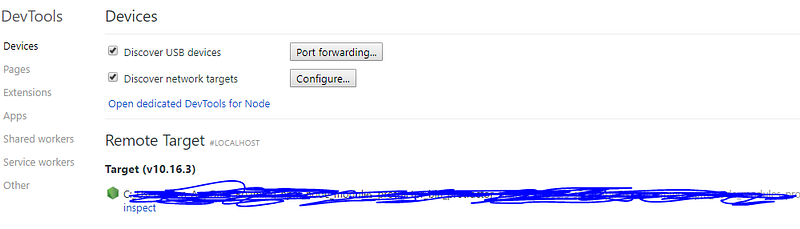
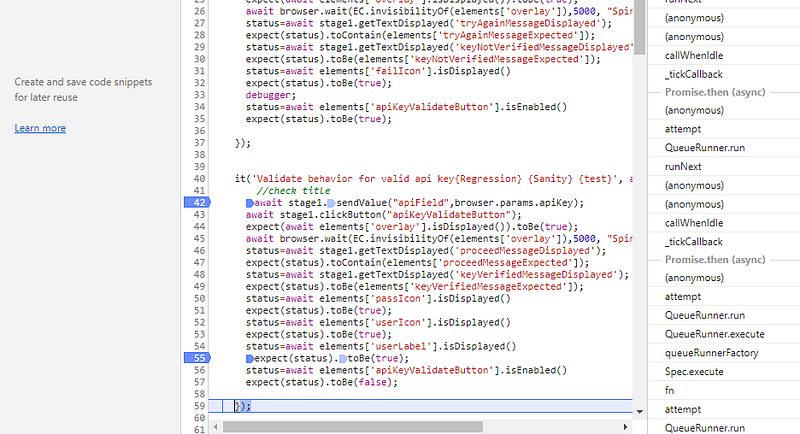
Click inspect and click F8 and click run. The exection stops at ‘debugger’ line and now add manual break points ow goto the file using the tabs and add manual break points.




 Learn with praveen